About This Course
Step into the world of servers, virtualization, and backend IT infrastructure with our Professional Diploma in System Engineering & Virtualization Technologies. This program prepares you for the real responsibilities of system administrators, teaching you how to manage physical servers, configure virtual machines, deploy Windows/Linux servers, and simulate complete datacenter environments.
Prerequisites
- Completion of Track 2 or equivalent IT support experience
- Basic understanding of Windows and networking
- Willingness to work with command-line interfaces
What You'll Learn
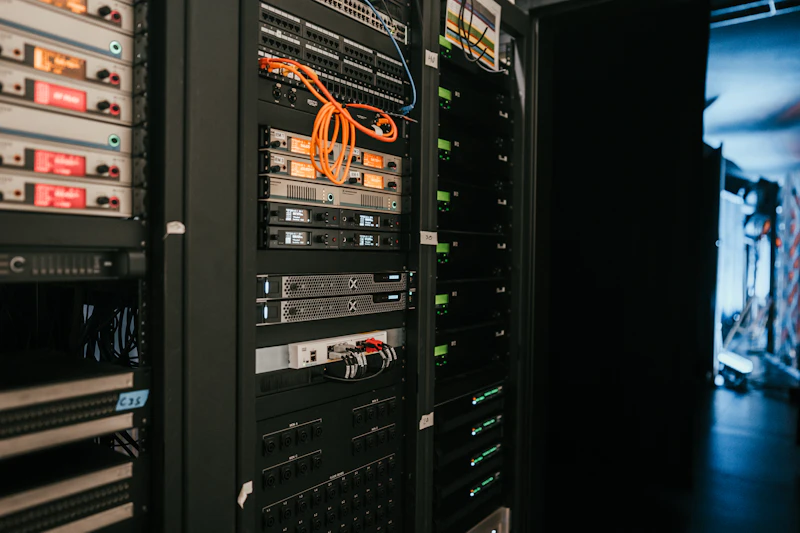
Learn how servers work, including hardware components, RAID, BIOS, and datacenter form factors.
Master virtualization fundamentals and work hands-on with Hyper-V, VMware ESXi, and KVM.
Install, configure, clone, snapshot, and manage virtual machines like a real system engineer.
Build virtual networks, configure virtual switches, VLAN concepts, and multi-VM environments.
Administer Windows Server: AD, DNS, DHCP, File Services, GPO, backup, and remote management.
Gain essential Linux server administration skills including users, permissions, networking, SSH, and services.
Work with storage technologies such as DAS, NAS, SAN, NFS, iSCSI, and VM-level backups.
Understand datacenter-grade resource management: CPU, RAM, storage pools, performance tuning.
Simulate real datacenter scenarios using multi-host virtualization labs.
Become job-ready for System Administrator, Virtualization Engineer, Server Engineer, or Infrastructure Support roles.
10 key skills covered
5 Months intensive training
100% Job-ready curriculum
Course Curriculum
10 modules • 73 lectures
01
Foundation of Server Infrastructure
7 lectures
What is a Server?
Physical vs Virtual Server
Components of a Server (CPU, Memory, RAID, NICs, PSU)
Rackmount, Tower, and Blade Servers
BIOS & Firmware Updates
RAID Levels (0,1,5,6,10) – Concept & Practical Simulation
Hands-On: Plan a Server Rack Setup
02
Introduction to Virtualization
7 lectures
What is Virtualization?
Benefits of Virtualization
Hypervisor Types: Type 1 vs Type 2
Virtualization vs Cloud Computing
Overview of Hyper-V, VMware, and KVM
Virtual Machine Lifecycle
Hands-On: Create First VM in Hyper-V (Windows Host)
03
Microsoft Hyper-V Administration
8 lectures
Installing Hyper-V Role
Creating and Configuring Virtual Machines
Virtual Switches – External, Internal, Private
Attaching ISO Images, Configuring Virtual Disks
Checkpoints (Snapshots) & Cloning VMs
Export / Import Virtual Machines
Resource Allocation & Performance Tuning
Hands-On: Build a 2-VM Hyper-V Lab (Server + Client)
04
VMware Virtualization
8 lectures
Introduction to VMware Workstation & ESXi
Installing VMware ESXi
vSphere Client Overview
Creating, Cloning, and Managing VMs
Datastores & Virtual Networks
VMware Tools Installation
Snapshots, Templates, and Resource Control
Hands-On: Configure ESXi and Create 2 Virtual Servers
05
KVM & Linux Virtualization
7 lectures
What is KVM?
Linux as a Hypervisor
Installing KVM, libvirt, and virt-manager
Creating & Managing Virtual Machines via GUI and CLI
Virtual Networking in KVM (NAT, Bridge, Host-only)
Storage Pools & Volume Management
Hands-On: Configure KVM on Ubuntu Server
06
Windows Server Administration
8 lectures
Windows Server Editions & Roles
Active Directory Domain Controller Setup
DNS, DHCP, and File Sharing Services
User, Group, and OU Management
Group Policy Configuration
Remote Desktop & Licensing
Windows Server Backup
Hands-On: Deploy a Windows Server Domain Lab
07
Unix / Linux Server Administration
10 lectures
Introduction to Linux Server Distros (Ubuntu, CentOS, Debian)
Linux File System Hierarchy
User & Group Management
Permissions (chmod, chown, sudoers)
Package Management (apt, yum, dnf)
Networking & SSH Configuration
Process Monitoring (top, ps, df, du)
Firewall & SELinux Basics
System Logs and Journalctl
Hands-On: Deploy LAMP Stack (Linux + Apache + MySQL + PHP)
08
Storage & Backup Management
6 lectures
Storage Types: DAS, NAS, SAN
Shared Storage in Virtual Environments
Mounting NFS & iSCSI Targets
Snapshots and Checkpoints
Backup Strategies for VMs
Hands-On: Configure NFS Share and Connect to Hyper-V / KVM
09
Virtual Networking & Resource Management
6 lectures
Virtual Switch Types
VLAN Configuration Concepts
IP Assignment & Bridged Connections
Resource Balancing (CPU, RAM, Storage)
Monitoring VM Performance
Hands-On: Simulate a Multi-VM LAN Environment
10
Datacenter Simulation & Case Studies
6 lectures
Create a Multi-Host Virtualization Lab
Install and Connect VMs via Virtual Switch
Deploy a Windows Server Domain + Linux Client
Test Connectivity, File Sharing, DNS Resolution
Perform Backup & Snapshot Restore
Final Assessment: Simulate Small Datacenter Deployment
Who Should Join This Course
Track 2 graduates who want to move from Service Desk into L2 System Engineering roles.
Desktop & Technical Support Engineers aiming for server and virtualization skills.
System, Network, or Cloud beginners who want real hands-on infrastructure experience.
BPO or non-IT professionals who want to enter backend IT roles that do not require coding.
Engineering students looking for a career in servers, Windows/Linux administration, or virtualization.
IT freelancers or aspiring entrepreneurs who want to build/manage server environments for clients.
No IT background? No problem – we start from basics!
Course Description
Whether you're upgrading from IT support or entering the world of backend engineering for the first time, this course gives you the hands-on skills needed to:
- ¢ Work confidently on server hardware, RAID, BIOS, and rack systems
- ¢ Deploy and administer Hyper-V, VMware ESXi, and KVM virtualization platforms
- ¢ Manage Windows Server services like AD, DNS, DHCP, File Sharing, and Group Policy
- ¢ Administer Linux servers using CLI for users, permissions, networking, and services
- ¢ Configure storage solutions (NFS, iSCSI, shared storage) used in enterprise virtualization
- ¢ Build multi-VM labs that mirror real datacenter operations
From day one, you'll work on live virtualization environments, creating and managing full server ecosystems — not just watching videos or theory. You'll learn how real organizations deploy servers, troubleshoot systems, and run virtual infrastructures at scale.
Our curriculum prepares you for roles in system administration, virtualization engineering, cloud foundations, and security tracks — forming one of the strongest backbones of your IT career.
By the end of the course, you will be able to design and deploy a small datacenter simulation with multiple Windows and Linux servers, network connectivity, domain services, and backup strategies — giving you true job-ready confidence.